
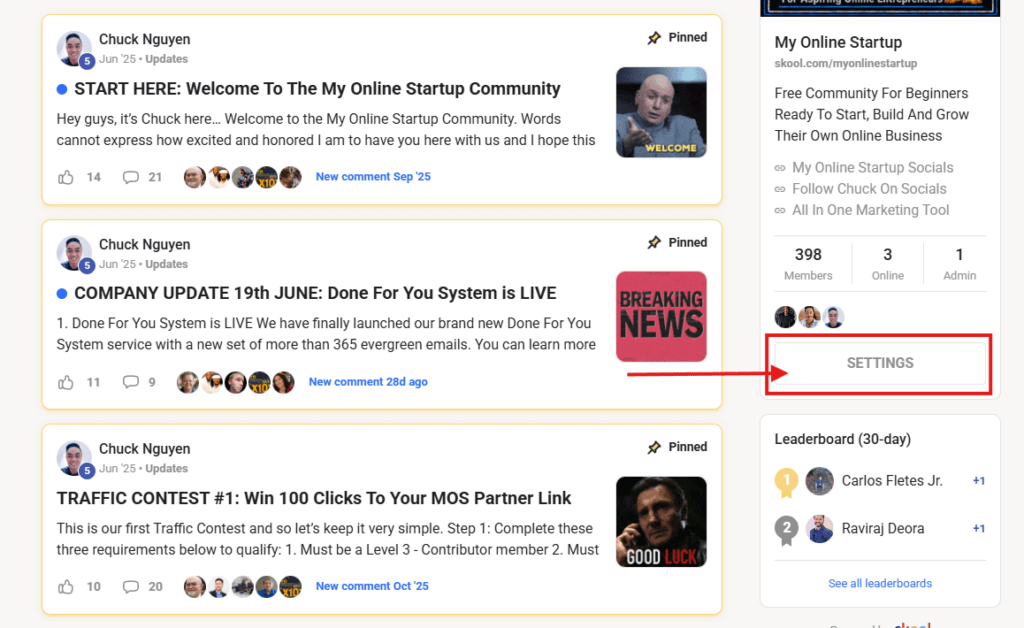
Step 1: Click On Settings And Copy Your Affiliate Link
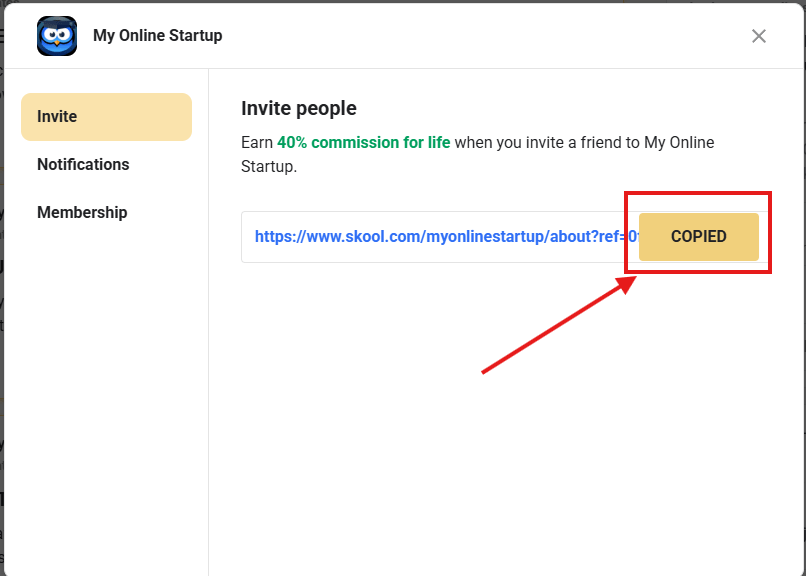
Step 2: Click On The ‘Copy Button’ To Copy Your Affiliate Link
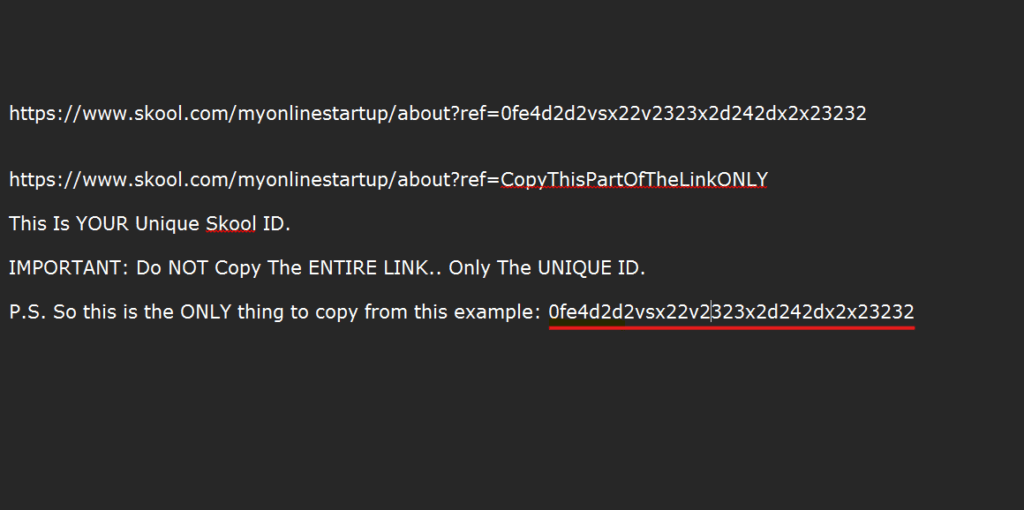
Step 3: Paste Your Affiliate Link Into A Notebook Or Anywhere
Step 4: Copy Your Uniuqe Skool Id ONLY (Not The Entire Link)
Step 5: Enter Your Skool ID Below Then Click On Save
What happens next…
When your current leads log in to My Online Startup to join our Skool Community, they will use your Skool affiliate link.
This is to help ensure we keep your leads hardcoded to you when migrating them over to Skool.
IMPORTANT: If your leads joined Skool before you were able to change your Skool ID, DO NOT PANIC.
Right now, we are only approving members who already have an account with us.
This means we can backtrack sales to the original referrer, affiliate, Partner or sponsor and manually pay commissions if a sale is generated.
P.S. This migration is not 100% perfect, and it’s quite a headache, but we promise to do our very best to ensure you are paid commissions if one of your referrals upgrades under our new Skool business model.